They’re just getting started

Really thinking about the classroom as a learning space today and was reminded of this video of +Jeff Utecht

I especially like the Jack and Jack part around 12:50.

How do we interact with students who are doing more than us, what do we do to shape this learning?

Excited to work with teachers on this and explore together in the upcoming weeks.

Spin me right ’round


AttributionNoncommercialShare Alike
 Some rights reserved by dbr Atl

I’ve been wondering about how important “flipped learning” or “reverse instruction” can be for learning for our classrooms.

Initially, and still really, the idea seems obvious to me.  Of course we want students doing, creating and making while we are with them.  Not only because Bloom’s Taxonomy says it’s a higher level of learning, but because that is the part of teaching that I enjoy the most. 
I’ve wondered how we can do this in the Primary Years Program as well.  I think that when we are looking over concepts and ideas, we can introduce these at home (through videos). I know that at our school our home learning does not always connect to our daily lives in the classroom.  Our math work is often practice sheets, we have traditional spelling assignments at home, which is not what the teachers I work with do in their classrooms.  I think that providing videos to “tune in” to the day or week’s tasks would be incredibly helpful for learning, and overall classroom enjoyment.  More than that, the parents would get a bigger sense of the concept based approach we take at our school. 
This article resonated with me because of the “pitfalls” section.  This is more than just changing a way we teach, it’s changing the way we learn and the culture of schools.  These changes can’t happen immediately for everyone, we are shifting the culture of what it means to be a leaner, and it’s all very exciting. 
I use videos with teachers, for my instruction with them, and then we work together on their projects.  By giving them the main concept of what we want them to know, our face to face time is set on pedagogical approaches to learning and changing classroom culture.  I’m also modelling a basic flipped learning approach. 
We use blendspace to  get teachers used to our google apps approach before school starts. All incoming teachers are asked to go through some short “courses” if they are familiar with google apps they can just take the quizzes.  These short quizzes allow us as Edtech coaches to zero in on what each teacher needs help with, so instead of doing an hour or two on google apps, we can go into individual teacher’s classrooms and work with them on the specifics of things they need to be able to do. 
Blended and flipped learning really help us zero in on specifics and get students working their ideas out.  Creation is the most engaging aspect of learning, and a flipped classroom helps us get to the heart of creation. 

Can phenomenology be online?

The Lived Experience 

AttributionNoncommercial Some rights reserved by ditchthattextbook

Phenomenology is the idea of making meaning from your lived experiences (basically). During my master’s research I used this methodology to dig deeper into my understanding of what it meant to be an environmental educator. As a teacher, I believe in the idea of constructivism, and making meanings based on your previous experiences. So much of learning for me is experiential based, we learn by doing, and reflecting on our actions (either in groups or on our own).  With this idea of knowledge as being, I wonder a lot about gamification in the classroom.

What’s Real? 

My main questions when thinking about gamification or anything really online, is what is real? If we learn from our experiences, what is an “actual” experience. I think this video is pretty powerful, and I think it’s something we have to think about as educators, especially when we are moving beyond “connections”.  So as educators when we are thinking about gamification, we have to think about creating authentic gaming experiences.

Gaming versus Gamification 


Attribution
 Some rights reserved by Cea.

Frustrations first, earlier this year we had a math website rep come to our school and talk about how their website gamified education, we had a lms platform come in saying they gamified learning.  They did this through badges and scores.  It totally put me off.  Badges, scores, etc. don’t make a game.  A real purpose or challenge makes a game. Through this real purpose you can have opportunities to level up, or earn points but clicking a button to “practice” math skills is not a game. It’s clicking a button (that has no real learning value).

I struggle with gamification, because I don’t think I like the term.  Apple uses challenge based learning, PYP uses their performance task to illuminate their central idea, and using pedagogy like this to engage your class can create a game like atmosphere.  Setting challenges for students to complete before they meet the next challenge is more what I think of when I think of gamification.  
I loved the minecraft history project video. No where was the teacher trying to create a game like atmosphere. There was a question posed (create a sustainable city) and different ways to reach that goal. I personally have a hard time imaging someone doing a more in-depth job than the student who used Minecraft, but I’m not sure using Minecraft on it’s own would’ve gamified the situation. 
In the “Raising Engagement in e-learning through gamification” there is an emphasis on fast feedback that I believe is crucial.  In games you quickly get a sense if you’re winning and losing.  Using connectivism to interact with other people can help you correct your actions.  This formative assessment is crucial for engaged learners. 
One of the quotations from this week that resonated deeply with me was:

“It’s not about the technology; it is about new ways of thinking. The barriers are in our heads,” Harrison says. “Learning is not about content, it is about creation. Isn’t that our job: to help kids learn how to do things? Our job is to prepare children for the world that exists.” – Nick Morrison
We need to change how we think about learning, not just gamify something. We need to encourage students to create and engage in their learning, not just consume by clicking buttons.  A program or an app can’t do this. Teachers need to do this, and I think creating authentic learning experiences (online or otherwise) is the most difficult part: however, it’s likely the most important part. 


Integrating to enhance

AttributionNoncommercial Some rights reserved by chris.chabot

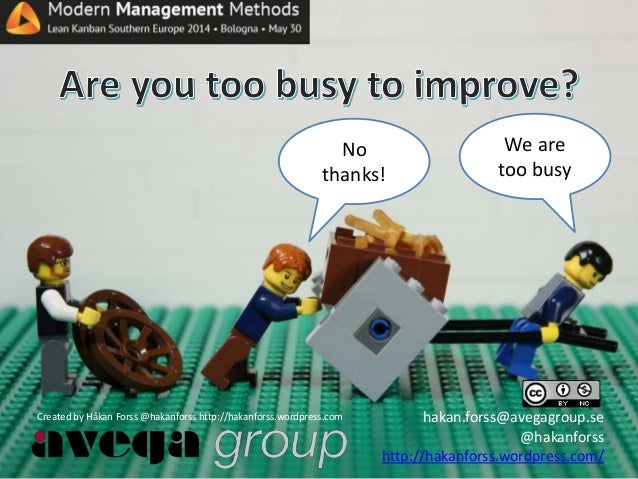
I think we read the old things in old ways article in Course 1.  This article resonated with me (and my frustrations as an EdTech Coach) because often we find something that works, and we just stick with it. A colleague sent me this image and I think it resonates with how I feel at times.

http://hakanforss.wordpress.com/page/2/

This blog is actually really interesting.  Too often we feel like we are too busy to “add on” new ideas and as a result we keep doing the same thing poorly. We can then switch to new things in old ways, and both the coach and the teacher still feel the frustration.

I really like this quotation from edutopia:

Integrating technology into classroom instruction means more than teaching basic computer skills and software programs in a separate computer class. Effective tech integration must happen across the curriculum in ways that research shows deepen and enhance the learning process. link

We need to integrate to enhance learning (and independence), not integrate for the sake of integration.  To do this, I do believe we need a framework (like most things without a framework we lack direction or purpose which makes it difficult to do anything).

I do like SAMR, and have taken a course with Punya Mishra on TPACK in Singapore last year. I like the openness of TPACK and the linear structure of SAMR, I find SAMR much easier to explain to teachers because of ladder images or linear images.


AttributionShare Alike
 Some rights reserved by tim.klapdor

I’m no longer teaching, so I can’t comment on my integration in the classroom all the time. But I do use the idea of enhancing education as the backbone of my work.  We use all kinds of technology (like wood and nails, to ipads and phones, to paper and pencil) and I work with teachers at making sure the learning is at the centre of what we do. 

First week of "magic spots"

Student photo

This was our first week of magic spots.  I am only doing this with two students so far.  We are working on a year long project to make a stop motion video (as well as address feelings regarding) a specific spot in school.  The point of this project is to connect students to a place in nature.

When we first went out I was excited to get the project underway. We have a rather large field, and I said to the students you can pick anyplace you would like to be for your spot.  Both students stayed relatively close to the school, and only one picked a view of a tree (the other picked a view of a slide).  I had explained what I thought was important about the project, but both students had said they had already picked their spots (before we went out together). So while it was great they had been thinking about a space meaningful to them, I was a little concerned about where the space they chose. 
After the first day we did a short debrief regarding their feelings.  Both students just felt hot, and not real attachment, which was to be expected.  I found some grass that was seeding and got them to look deeper into their space.  This seemed to be effective.  After recess one of the students came up to me and noticed more grass that looked strange. 
So far, the project has been going as planned I guess.  The students seem interested, but it’s only the first week.  It might be a challenge to keep this enthusiasm happening all year. 
When I was a classroom teacher it was easy to make sure every student got outside and was quiet for at least five minutes a day, it seems so much more difficult without a class. 
They are all very excited about making the video though.  

Connecting students with nature

Attribution Some rights reserved by USDAgov

Starting next week I am going to be working on my “magic spot” project with students.  I have been doing this without technology for a couple of years but I want to incorporate technology more meaningfully into the students work. 

So, starting next week I will be taking a couple of grade three students and some iPads outside.  They will take a photograph of their spot.  With hope we will get outside every school day and take a photo.  We will then put these photos together into a stop motion video. 
I hope to create deeper connections between people and places. Often at international schools I feel that students and teachers do not feel connected to their place.  When people feel more connected they will be more likely to take action for their space (check out my thesis if you’re really more interested in this). 
Would love some ideas if anyone has them. 

Course 3 – Final Project

There were a lot of interesting options for our final project. However, I had a quick chat with Scott over twitter and we talked about what we were thinking. He suggested, and I agreed that Visual Literacy needed to be the core of what we taught, but we still strongly believed in Connectivism.  We wanted to create connections in our students, so it wasn’t just us telling them about the importance of design methods, it was their peers.  So, I chose a grade 3 class I work with frequently and he picked his grade 6 class and our goal was to have our students create presentations and then comment on each others looking specifically at CRAP design principles.

I started off by teaching my students about the PARC design methods

The following week I worked with them on colour ideas


The plan was to share one of their previous final projects on their blog and then talk about some of the design methods they recognized, and how they would use their new knowledge to create a better product.  The incentive for them was, they were going to be connected to a school in KL that would talk about how they saw the design methods being used.

The students were very enthusiastic, they took pictures of their work and posted it, they started to talk about how their work was following some of the design principles, and how they would improve.  They noticed quickly that a lot of the design methods built on their knowledge of reading non-fiction texts. By placing the information boxes near their images they had proximity, but it was a text-feature they were used to.  Most of the students ended up talking about colour (and using colour) to describe how they were feeling.

We had some decent work being done by the grade 3s, and I was ready to share with Scott.  However, time was running out (because of school vacation) so the comments didn’t reach each other in time for the students to see them before this post.

We ran into some other difficulties as well.  Our grade 3 students are in a “walled garden”.  So when I checked their work (I could see it), however Scott’s students could not. When I get back to school I hope to fix this as much as I can (either by hosting the images on my drive, or what I’m not sure).  But this made me think about our tech goal of having digital portfolios and how in grade 3, parents won’t be able to see or share the images (which is an important part of visual literacy).

Our students (Scott’s and mine from the conversations we had) didn’t seem to understand as much as we were hoping.  Part of that, I think, has to do with the lack of visual literacy being taught at our schools currently.  This is something I have already brought up with my EdTech Director, and my principals, and I am working on teaching it to students when I can.  But in order for our students to fully understand how images are being used on them (I’m not sure how else to phrase that) they need to start creating meaningful images themselves.  This was our first attempt at looking at CRAP methods, and it looked like it was a first attempt.  Hopefully when they get back to school and see the comments from the other students in Scott’s school they will think about their work a little more deeply.

The big win for me (even though it hasn’t happened yet) was the comments from the other school.  I feel that visual literacy is really important, but Scott and I both think that connecting students can bring forth powerful change.  So, these comments, I hope will inspire my students to take their image creation seriously, and think about why they make things, and how they make things.

I enjoyed working with Scott, it was easy and I feel our values are pretty aligned, I’m looking forward to using this connection more, not just as part of COETAIL, but beyond.
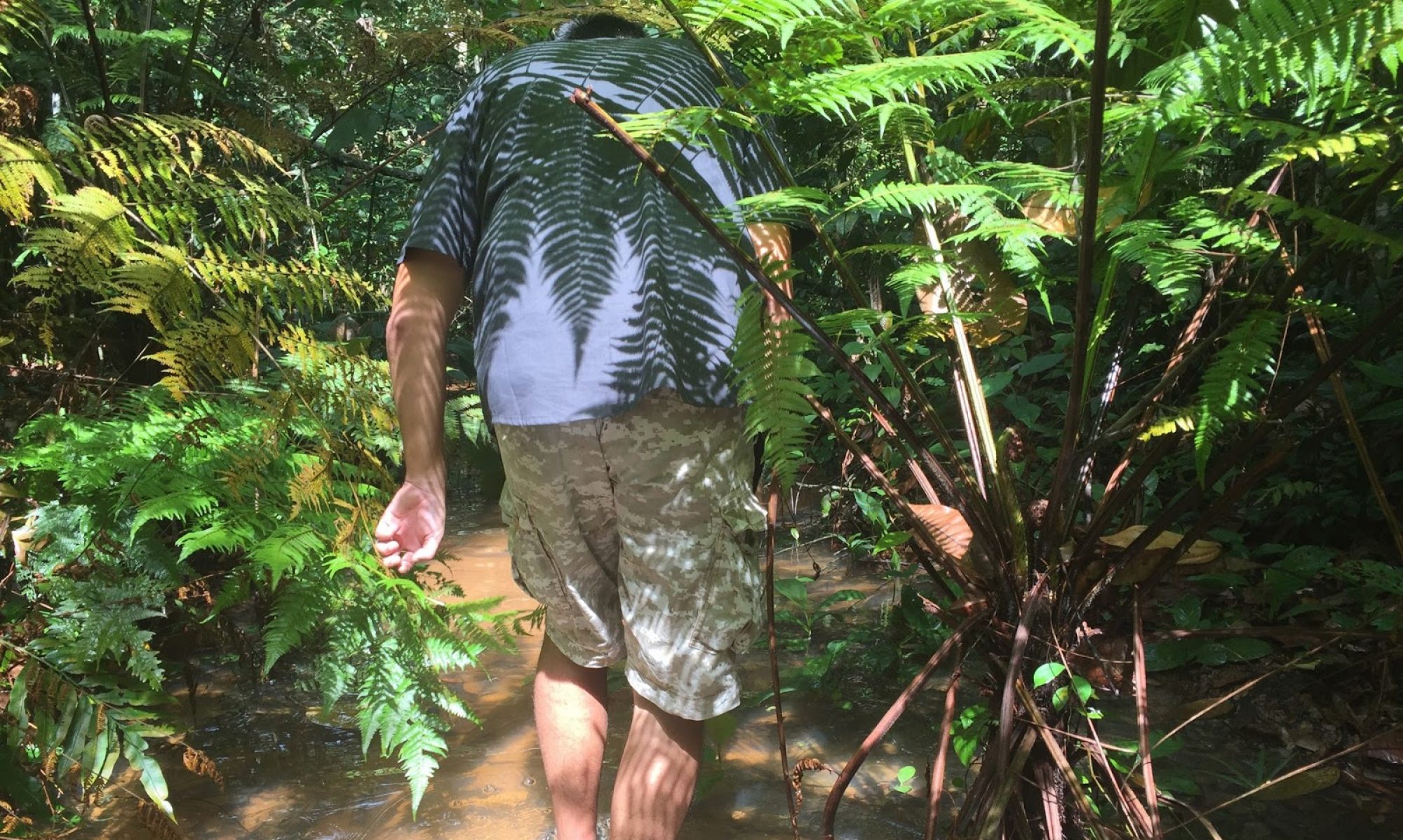
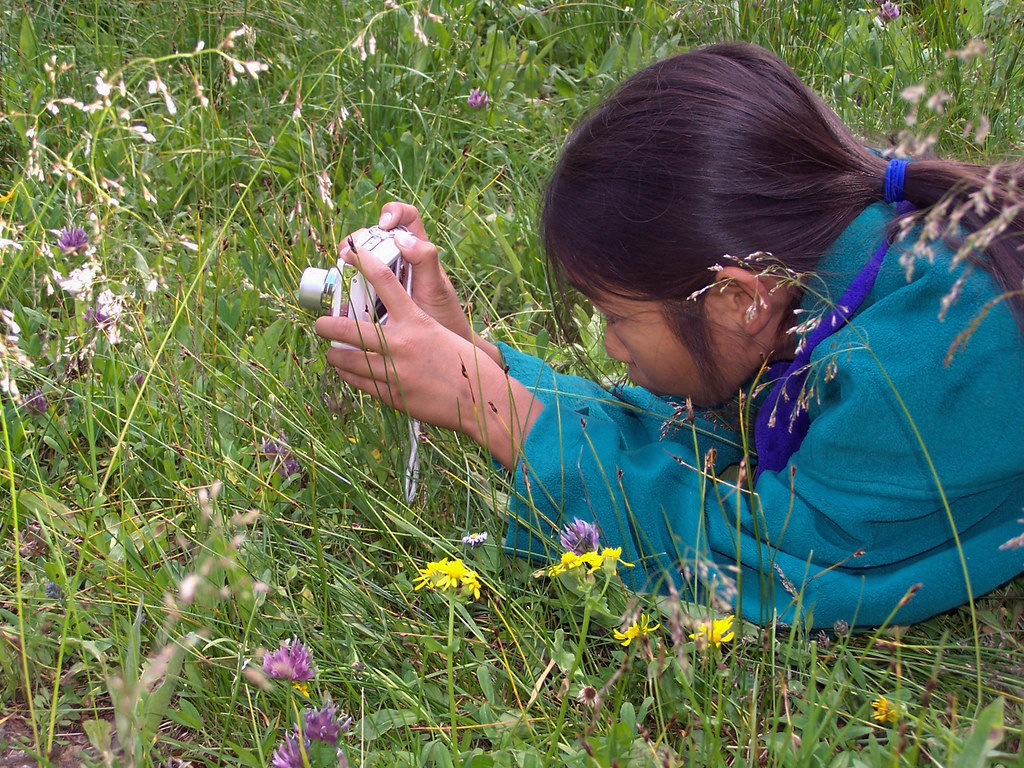
Seeing Time – Who are these kids?

Attribution Some rights reserved by SCA Svenska Cellulosa Aktiebolaget

The assignment for this week as to find an infographic and think about how we would use it with our class.

I chose this image for a few reasons, the most significant in my mind would be the desire to work with these students.  As an EdTech coach, and someone deeply interested in the environment, I think it would be great to be working with more kids outside.

In grade 3 we are looking at design using the CRAP design principles.  Reid created this which I also shared with my class.

This is creative commons certified just hard to see

Our class looked at the first image and found that the colour theory was what made the first infographic difficult to process. We though that by using contrast between outdoor colours and indoor colours the graphic may have been more engaging. 
The students found the colour scheme really interesting.  They didn’t know how it was chosen.  While at Learning 2.0 with Heather Dowd I talked about Kuler  which lets you look at images and take a colour scheme from them. We found this tool really useful and I wondered about how we could use this to make the infographic more engaging. 
Screen shot taken from the app store

The big take aways for me this week are how important colour and design principles are when trying to engage learners.   We’ve been talking about the importance of images, but we really need to create or use powerful images as teachers.  Without powerful beautiful images (Heather suggested we keep a beautiful images catalogue in our google+, which I am going to start) we can’t really engage students the way we want, and there is no great example for students to shoot towards.

More than this, I’ve been chatting with my environmental education group about the importance of story telling.  I think images, infographics and stories can play a powerful role in creating connections between people and their world, but in order to do that, we need to have powerful images.

Digital Story Telling

This is from a group of grade 2 students I work with.

We’ve been talking in the second grade about different ways we can tell a story.  One of the things we’ve thought deeply about is how to make stories more visual.  Two classes joined together and used the story of Jack and the Beanstalk (did you guess that already?).  The wanted to share their findings to parents and classmates at an assembly.  Different groups (mixed groups by student choice and interest) chose different ways to tell the story. There were actors, claymation, documentary (of the process of creation, not the story itself) storybooks and retells.

As a tech coach I worked with the documentary team and the claymation team.

Both groups worked hard to share their story through images. In the documentary group, they all agreed that pictures were important to document the process and interviews would create a connection with people (mainly for the parents).

At the end of the four weeks (a total of eight lessons).  The students (not just the ones in the creation groups) were all very impressed with the documentary.  They were amazed at how far they had come and all of the students loved seeing their work of the process.