First week of "magic spots"

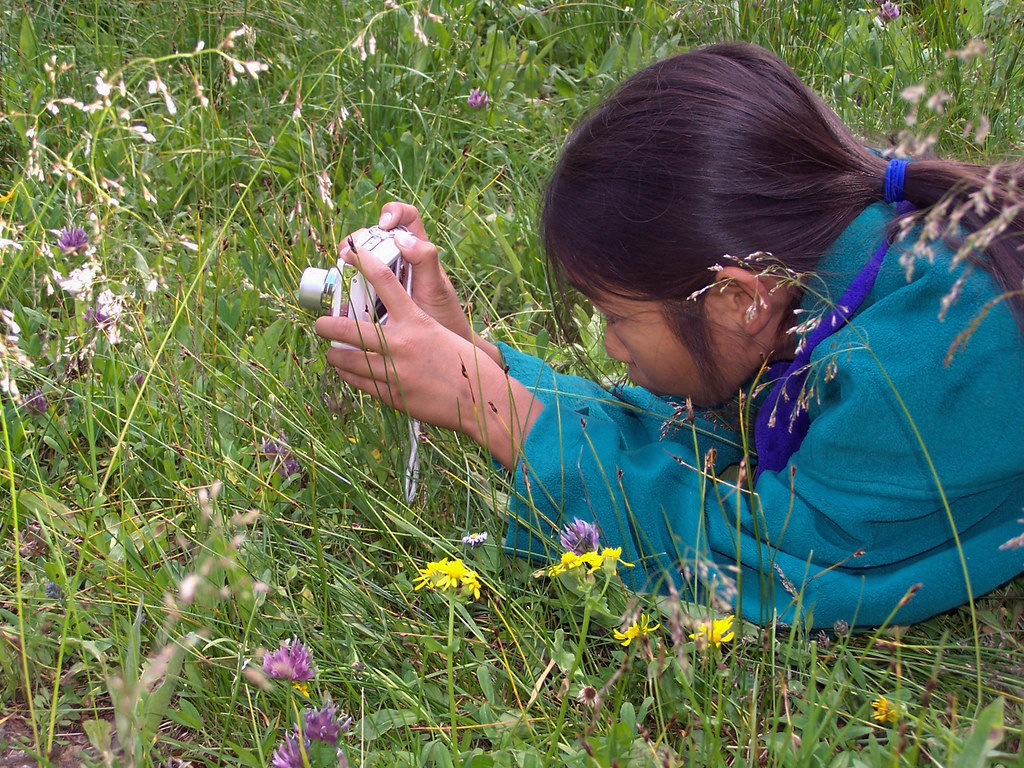
Student photo

This was our first week of magic spots.  I am only doing this with two students so far.  We are working on a year long project to make a stop motion video (as well as address feelings regarding) a specific spot in school.  The point of this project is to connect students to a place in nature.

When we first went out I was excited to get the project underway. We have a rather large field, and I said to the students you can pick anyplace you would like to be for your spot.  Both students stayed relatively close to the school, and only one picked a view of a tree (the other picked a view of a slide).  I had explained what I thought was important about the project, but both students had said they had already picked their spots (before we went out together). So while it was great they had been thinking about a space meaningful to them, I was a little concerned about where the space they chose. 
After the first day we did a short debrief regarding their feelings.  Both students just felt hot, and not real attachment, which was to be expected.  I found some grass that was seeding and got them to look deeper into their space.  This seemed to be effective.  After recess one of the students came up to me and noticed more grass that looked strange. 
So far, the project has been going as planned I guess.  The students seem interested, but it’s only the first week.  It might be a challenge to keep this enthusiasm happening all year. 
When I was a classroom teacher it was easy to make sure every student got outside and was quiet for at least five minutes a day, it seems so much more difficult without a class. 
They are all very excited about making the video though.  

Connecting students with nature

Attribution Some rights reserved by USDAgov

Starting next week I am going to be working on my “magic spot” project with students.  I have been doing this without technology for a couple of years but I want to incorporate technology more meaningfully into the students work. 

So, starting next week I will be taking a couple of grade three students and some iPads outside.  They will take a photograph of their spot.  With hope we will get outside every school day and take a photo.  We will then put these photos together into a stop motion video. 
I hope to create deeper connections between people and places. Often at international schools I feel that students and teachers do not feel connected to their place.  When people feel more connected they will be more likely to take action for their space (check out my thesis if you’re really more interested in this). 
Would love some ideas if anyone has them. 

Course 3 – Final Project

There were a lot of interesting options for our final project. However, I had a quick chat with Scott over twitter and we talked about what we were thinking. He suggested, and I agreed that Visual Literacy needed to be the core of what we taught, but we still strongly believed in Connectivism.  We wanted to create connections in our students, so it wasn’t just us telling them about the importance of design methods, it was their peers.  So, I chose a grade 3 class I work with frequently and he picked his grade 6 class and our goal was to have our students create presentations and then comment on each others looking specifically at CRAP design principles.

I started off by teaching my students about the PARC design methods

The following week I worked with them on colour ideas


The plan was to share one of their previous final projects on their blog and then talk about some of the design methods they recognized, and how they would use their new knowledge to create a better product.  The incentive for them was, they were going to be connected to a school in KL that would talk about how they saw the design methods being used.

The students were very enthusiastic, they took pictures of their work and posted it, they started to talk about how their work was following some of the design principles, and how they would improve.  They noticed quickly that a lot of the design methods built on their knowledge of reading non-fiction texts. By placing the information boxes near their images they had proximity, but it was a text-feature they were used to.  Most of the students ended up talking about colour (and using colour) to describe how they were feeling.

We had some decent work being done by the grade 3s, and I was ready to share with Scott.  However, time was running out (because of school vacation) so the comments didn’t reach each other in time for the students to see them before this post.

We ran into some other difficulties as well.  Our grade 3 students are in a “walled garden”.  So when I checked their work (I could see it), however Scott’s students could not. When I get back to school I hope to fix this as much as I can (either by hosting the images on my drive, or what I’m not sure).  But this made me think about our tech goal of having digital portfolios and how in grade 3, parents won’t be able to see or share the images (which is an important part of visual literacy).

Our students (Scott’s and mine from the conversations we had) didn’t seem to understand as much as we were hoping.  Part of that, I think, has to do with the lack of visual literacy being taught at our schools currently.  This is something I have already brought up with my EdTech Director, and my principals, and I am working on teaching it to students when I can.  But in order for our students to fully understand how images are being used on them (I’m not sure how else to phrase that) they need to start creating meaningful images themselves.  This was our first attempt at looking at CRAP methods, and it looked like it was a first attempt.  Hopefully when they get back to school and see the comments from the other students in Scott’s school they will think about their work a little more deeply.

The big win for me (even though it hasn’t happened yet) was the comments from the other school.  I feel that visual literacy is really important, but Scott and I both think that connecting students can bring forth powerful change.  So, these comments, I hope will inspire my students to take their image creation seriously, and think about why they make things, and how they make things.

I enjoyed working with Scott, it was easy and I feel our values are pretty aligned, I’m looking forward to using this connection more, not just as part of COETAIL, but beyond.
Seeing Time – Who are these kids?

Attribution Some rights reserved by SCA Svenska Cellulosa Aktiebolaget

The assignment for this week as to find an infographic and think about how we would use it with our class.

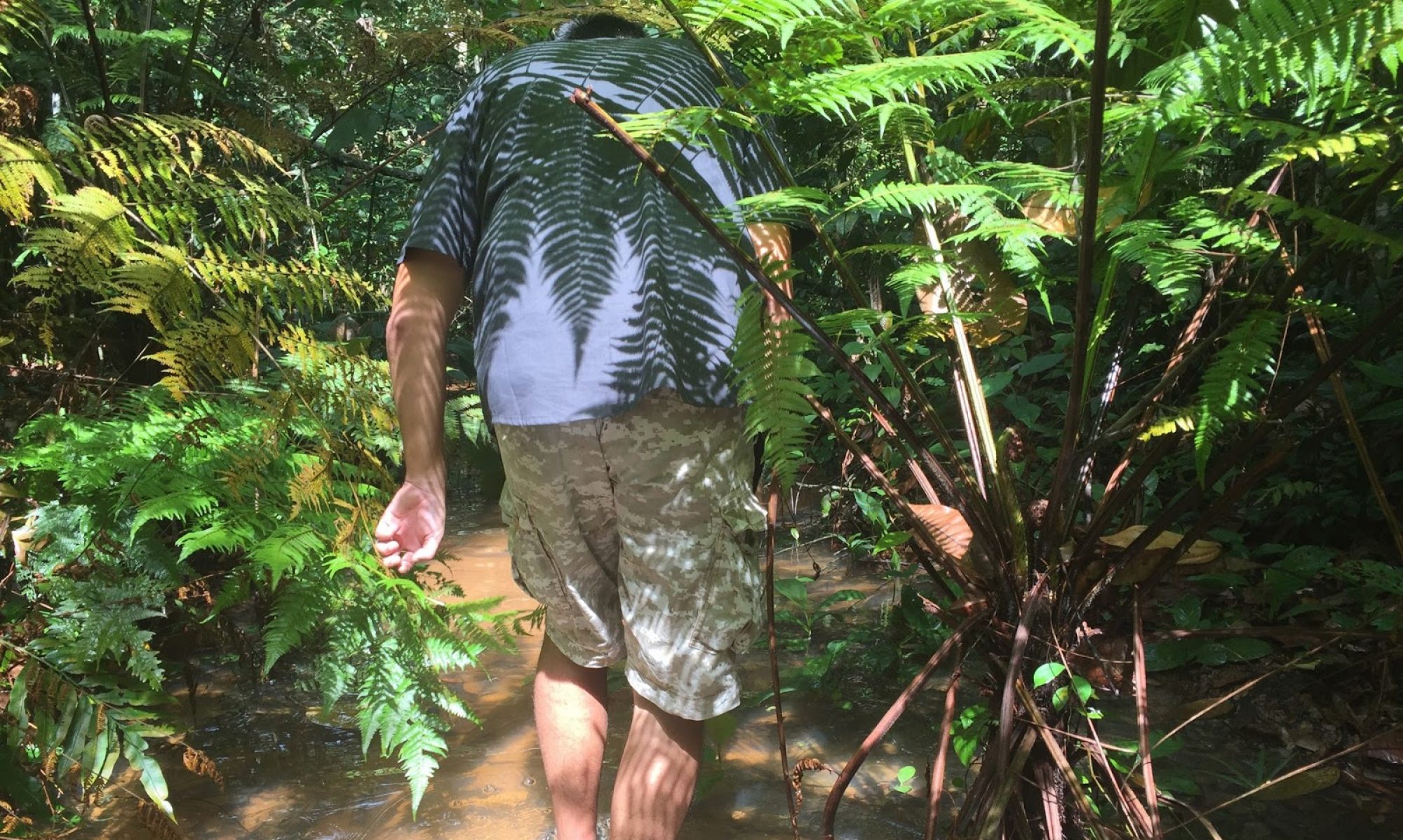
I chose this image for a few reasons, the most significant in my mind would be the desire to work with these students.  As an EdTech coach, and someone deeply interested in the environment, I think it would be great to be working with more kids outside.

In grade 3 we are looking at design using the CRAP design principles.  Reid created this which I also shared with my class.

This is creative commons certified just hard to see

Our class looked at the first image and found that the colour theory was what made the first infographic difficult to process. We though that by using contrast between outdoor colours and indoor colours the graphic may have been more engaging. 
The students found the colour scheme really interesting.  They didn’t know how it was chosen.  While at Learning 2.0 with Heather Dowd I talked about Kuler  which lets you look at images and take a colour scheme from them. We found this tool really useful and I wondered about how we could use this to make the infographic more engaging. 
Screen shot taken from the app store

The big take aways for me this week are how important colour and design principles are when trying to engage learners.   We’ve been talking about the importance of images, but we really need to create or use powerful images as teachers.  Without powerful beautiful images (Heather suggested we keep a beautiful images catalogue in our google+, which I am going to start) we can’t really engage students the way we want, and there is no great example for students to shoot towards.

More than this, I’ve been chatting with my environmental education group about the importance of story telling.  I think images, infographics and stories can play a powerful role in creating connections between people and their world, but in order to do that, we need to have powerful images.

Digital Story Telling

This is from a group of grade 2 students I work with.

We’ve been talking in the second grade about different ways we can tell a story.  One of the things we’ve thought deeply about is how to make stories more visual.  Two classes joined together and used the story of Jack and the Beanstalk (did you guess that already?).  The wanted to share their findings to parents and classmates at an assembly.  Different groups (mixed groups by student choice and interest) chose different ways to tell the story. There were actors, claymation, documentary (of the process of creation, not the story itself) storybooks and retells.

As a tech coach I worked with the documentary team and the claymation team.

Both groups worked hard to share their story through images. In the documentary group, they all agreed that pictures were important to document the process and interviews would create a connection with people (mainly for the parents).

At the end of the four weeks (a total of eight lessons).  The students (not just the ones in the creation groups) were all very impressed with the documentary.  They were amazed at how far they had come and all of the students loved seeing their work of the process.

PARC Design Methods

Design Methods in Elementary

With grades two and three this year we’ve been looking at what makes something “good”.  We’ve focused on pictures, videos and blogs (a lot in a short time, but we are far from finished) and how we can make our current things better. 
Last year I did a similar unit on digital design where I’ve changed CRAP to PARC (lots of other COETAILers have used CARP, I don’t know, the francophile in my loves the the park). I made a quick slideshow (which thankfully I don’t have anymore, so I can’t show you) about what these methods are, and how to use them.  It was an ugly presentation created on powerpoint that was very functional, but not very beautiful. 
I’ve tried this year to focus on bringing a simpler version to the new school. Drawing from the Presentation Zen (I wonder why they didn’t do pre-Zen-tation, anyway) I looked at the less is more kind of idea.  Using a strong image and the concept of the slide I wanted to make connections between the word and the image. 
I used the same image twice. In my presentation I’m going to ask the students what makes the first image powerful, and then we move to the second slide with the word and talk about what the word might mean, and then we move on. 
The quotation took me forever to find, I wanted to find something interesting, but something elementary school students (from as young as 3) could understand. I wanted to get the idea that creation was important. Since it is important, we need to think about why and how we create.  By using principles (not rules, I wonder if I should change it to ideas) of PARC we can create more useful images. 
When I did this last year (with a substandard presentation) the students really got the idea and applied it to their google slide presentations, and power point presentations. 
Blogs are a big push this year at our school for the grade 3s.  We’ve been setting up the lessons and all the students have been playing around with colour (which is going to be my next presentation revision) and I’m trying to help them understand why purposeful creation to engage the audience is so important.  
I think images can focus young learners, and build on their understanding to use the new vocabulary more effectively.  This is going to be a reflective process throughout the year, and I am going to add a colour presentation (to hopefully get rid of all the random rainbows).  I think that by starting with what you make is important (and surrounded by white space) students will start to think more deeply about their digital design creations. 

Word Choice for Blogging

Attribution Some rights reserved by 2,000,000+ views Thank You!

I looked for pictures for a couple of hours, wondering what to use to engage my grade 3 students who are thinking about blogging.  I ended up choosing the above image for the word choice and colours because we were doing a blogging lesson.

Usually when I do anything on google drive, or blogs with the students the first thing they want to do is change the colour.  I used the different choices in this image to discuss why we should use colour and which colours we should use.  I started off asking the feelings behind the colours in the image, the colours we had right away, then we talked about the choices that were in our flipboard readings. 
The students still continued to use colour in their writing, but they were better able to describe why they chose that particular colour. 
When thinking about learning blog posts, I wanted the students to get away from the idea that they should be something like “This week I learned about the digestive system”.  First we practiced on google docs about how to create interesting blog posts, we “commented” on each others doc to create discussions and move towards a dialogue of learning, rather than just writing what we learned.  Our focus was to create a community, and with this in mind, our word choice was an important tool to engage our audience. 
Students thought narrowed down their words and focused on what would be engaging for their reader, as well as offer a way to comment on their posts to create a discussion.  
It was our first attempt and  nothing was too spectacular but it was a great way to start the idea of blogging.  
While I often use images (especially images without words) this weeks assignment was interesting because of how much I thought about which image to choose.

Design thinking

I’ve really been looking forward to this course. Digital design is something I’ve been thinking a lot about, but really need a chance to apply it and get feedback.
I’m not the biggest fan of electronic music, but I recently bought the Daft Punk album Random Access Memory.  While listening to music, at times, I think about the design behind it.  This song in particular really flows well for me, I can follow the progression, and even though I don’t like every aspect of this song, I know why and how they all fit in.  The whole song seems very purposeful. It also tells a story, sometimes with words, sometimes with beat, sometimes with other tones. I understand (somewhat) the construction behind it. This course on digital design seemed to relate well to my thoughts on this blog. 
Part of the reason I created my personal blog, instead of my Coetail blog was I could change the actual layout of the blog. I had more options and more opportunities to create something more personal. I like how I can change the background, I have more influence over how wide my reading space is, I can change the labels easily and just totally customize it (if I want to).  I found the Coetail blog a little too limiting. 
Personal Blog
I chose clouds for both because it makes me feel at peace. I chose lots of white and blue and grey on both blogs for the calm feeling. I wanted to create a place for thought and relaxation. Something comforting. It also matches the background to my twitter page, which creates a sense of continuity. 
Coetail Blog
I realise there’s a lot more to do with the creation, and during this course I hope to make some more changes.  Right now I feel comfortable with the design of my blog, but I’ve spent a lot of time thinking about it when I first started it. In the future, I think I’m going to change my header to make it a little more readable, and look more closely at the widgets to make sure that’s how I want everything organised. 
Last year I taught a lot about digital design with the young ones. Instead of CRAP design I changed it to PARC, just to solve a lot of laughing issues.  We talked extensively about the colour wheel, typography and the types of decisions designers made, and thankfully I noticed a huge difference in their slide presentations. 
So far this year I’ve talked about the importance of colour with my grade 3 students. We are using Google docs and i want them to think about how to engage their audience (or seriously disengage their audience) by choosing different colours.  It’s a slow start, but we are thinking about it. 
I thought the Visual Literacy blog could’ve used a design re-haul as well.  I’ve been thinking a lot about how Nicki needs more free reign in this course and how great it would be to understand “art” as much as she does (just slightly jealous). 

Sharing ideas through video

This has been an incredibly busy week, but I am trying to focus on making one blog post a week and this week I’ve been thinking a lot about training, and sharing and how amazing video is at this.

Attribution Some rights reserved by Brian Metcalfe

This week I’ve created two videos for training purposes for my teachers.  Recently I’ve had to go to four or five classes and set certain things up.  While I love spending my time with teachers, I really want my job as EdTech Coach to be focused on learning conversations.  In order to liberate some of my setting up with teachers time I’ve made videos and shared them with teachers, this way they always have access and they can learn at their own time (and not have to ask me which I think some people try to just coast along until we realize that they aren’t doing what’s expected).  The videos have been easy to make using Camtasia2 my coworkers use another program, but I think this is pretty easy to use. 

I’ve been in a number of classes this week working with students making videos.  I just returned from one class that is working on documenting the systems they use.  The students take a video of the system they want to talk about and then use Explain Everything to narrate. 
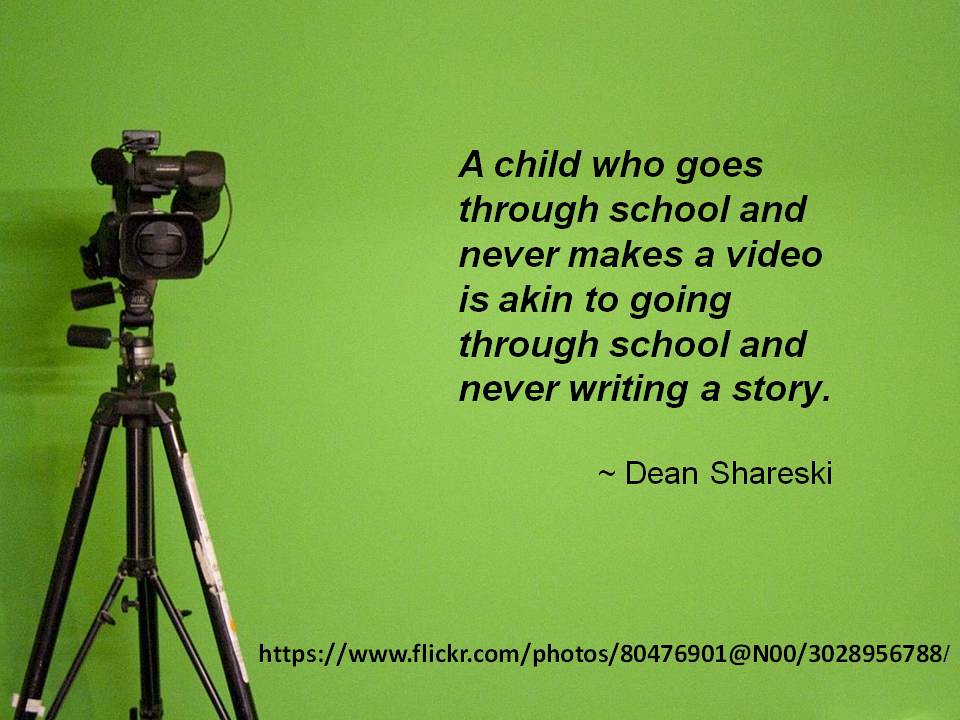
The quotation above is great, we need students to be making videos (especially the younger students) to fully understand what they know and honour how they can explain it.  It empowers the students to share their knowledge in any way possible. 
This week in the #enviroed chat we’ve been talking about nature and technology and Ranger Ridley led me to this link regarding crowd sourcing natural understandings. It’s amazing how videos (and photos) can lead others to see what new natural things are occurring, and what is happening to our natural systems. 
My focus on the next couple of weeks will be bringing video into more of my lessons, and hopefully in more of my teacher professional development.